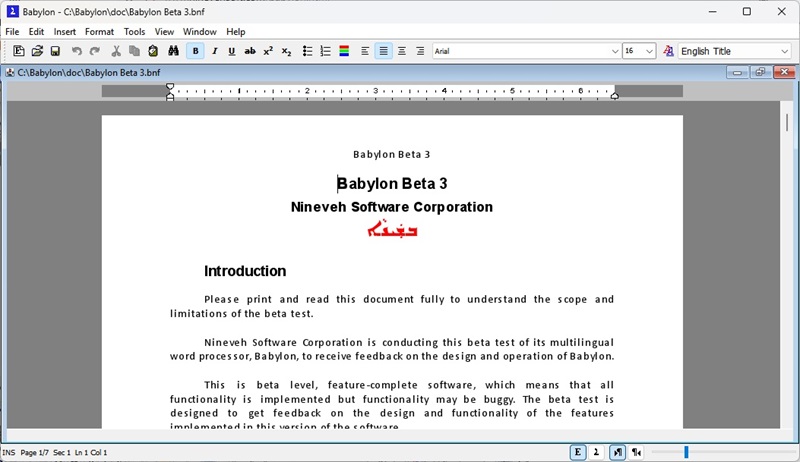
Babylon Word Processor (beta)
Testers wanted: click here to become a beta tester
Supported platforms


If you are familiar with a word processor, such as Microsoft Word,
you will immediately understand how to use Babylon. The standard features of
a word processor and most computer programs, such as cut-and-paste,
are implemented by Babylon.
Language Specific Features
- One touch typing for all letter shapes: Babylon chooses the correct shape of a letter based on its location in a word
- Manual adjustment of vowel positions: each vowel position can be manually adjusted in any direction
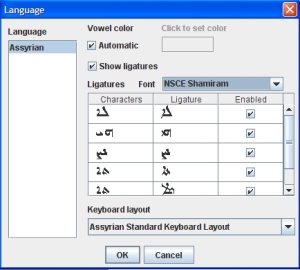
- Full ligature support: all ligatures are supported
- Ligature control: each ligature can be enabled or disabled individually
- Assyrian spelling checker
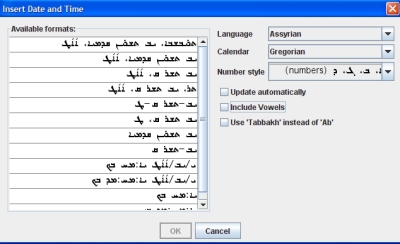
- Assyrian calendar support
- Custom vowel colors: vowels can be shown in a different color
- One touch vowel typing: the correct vowel is used based on the current Assyrian font (Eastern or Western)
- Vowel conversion: convert vowels between Eastern and Western Assyrian
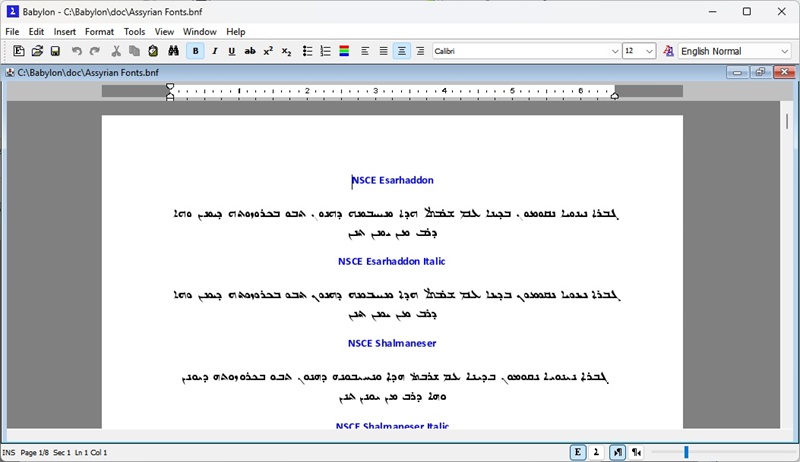
- 56 Assyrian fonts, with correct italic support (i.e., italics lean to the left)
General Features
- Runs on Windows, Macintosh, Linux and any platform that supports Java
- Generates PDF files, no other software required
- Reads and writes OpenDocument format files
- Auto corrects misspelled words
- Undo/Redo
- Search and Replace in all supported languages
 Full clipboard support
- Zoom 10-500%
- Headers, Footers
- Sections
- Footnotes, Endnotes
- Page numbers in all supported languages
- Date and time in all supported languages
- Full font support: size, bold, italic, 9 underline styles, super/subscript
- Document Encryption
- Columns
- Bullets
- Paragraphs: line spacing, spacing before and after, widow/orphan, page break and keep lines together control, left right margins, hanging indent
- Spelling checker Assyrian and 62 other languages
- User defined dictionaries for spell checking
- Styles support: define a style and apply it to one or more paragraphs
- Extensive customization options
- And much more